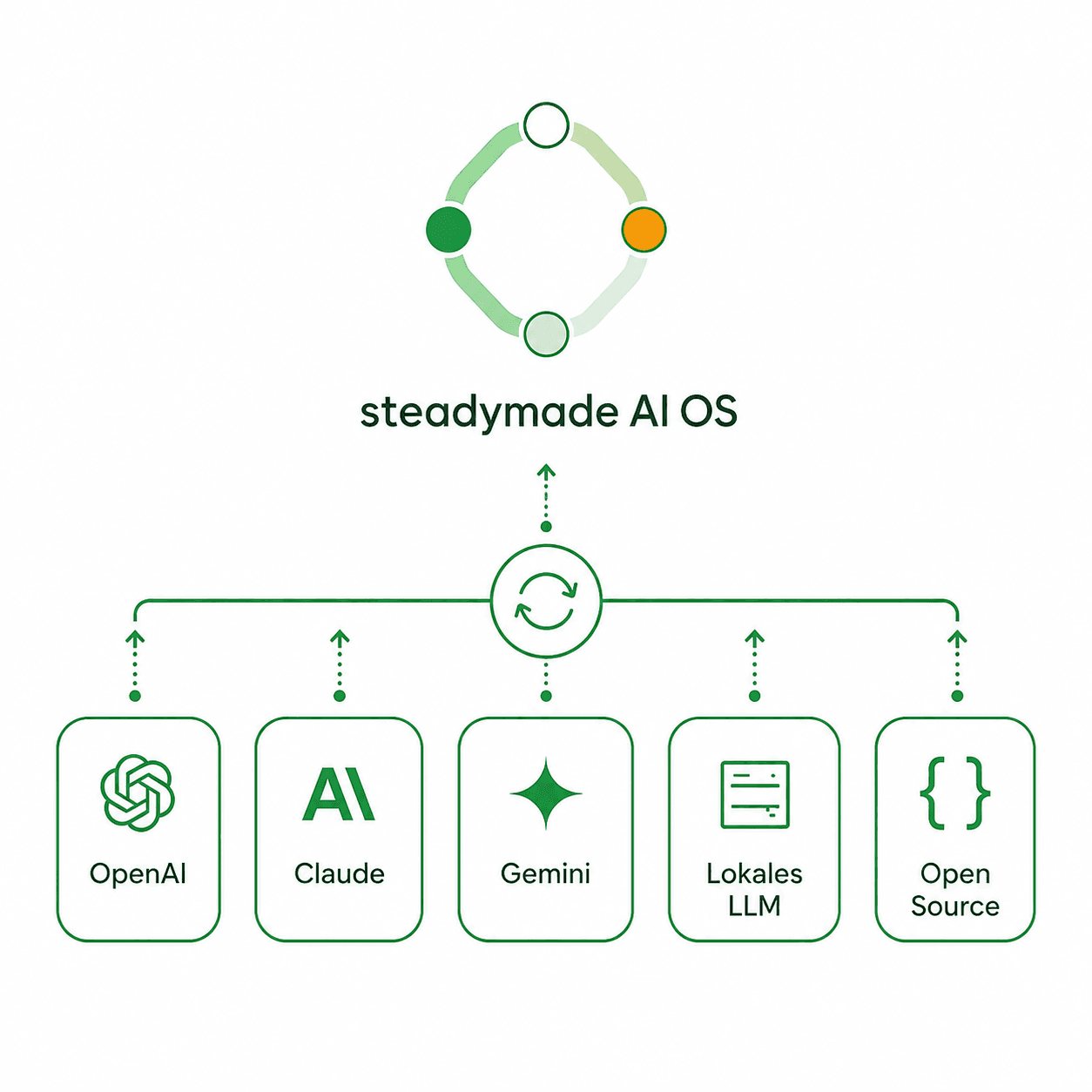
SteadymadeAI OS

The operating system for AI-first work.

Explore the system

One orchestrator. A team of specialised agents. Your knowledge, under your control.

orchestrate learn remember improve

01What it is

An operating system for AI-enabled work.

Steadymade AI OS sits between your people and the models they use, settling which AI handles which task, what knowledge it may access, and which standards apply.

How that works in practice

You work through one central assistant. Behind it, a team of specialised agents covers strategy, content, proposals, documents, visual production, planning and security. Your knowledge stays as readable files on systems you control.

An operating system coordinates applications, memory and permissions. This one does the same for AI-enabled work, which is where the name comes from. The models underneath can change while the operating system remains.
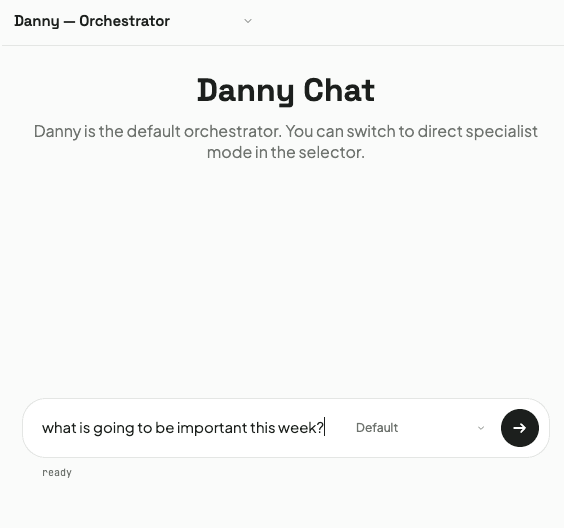
Chat interface handling a realistic task, such as creating a proposal
02Orchestration

Describe what you need. Danny coordinates the rest.

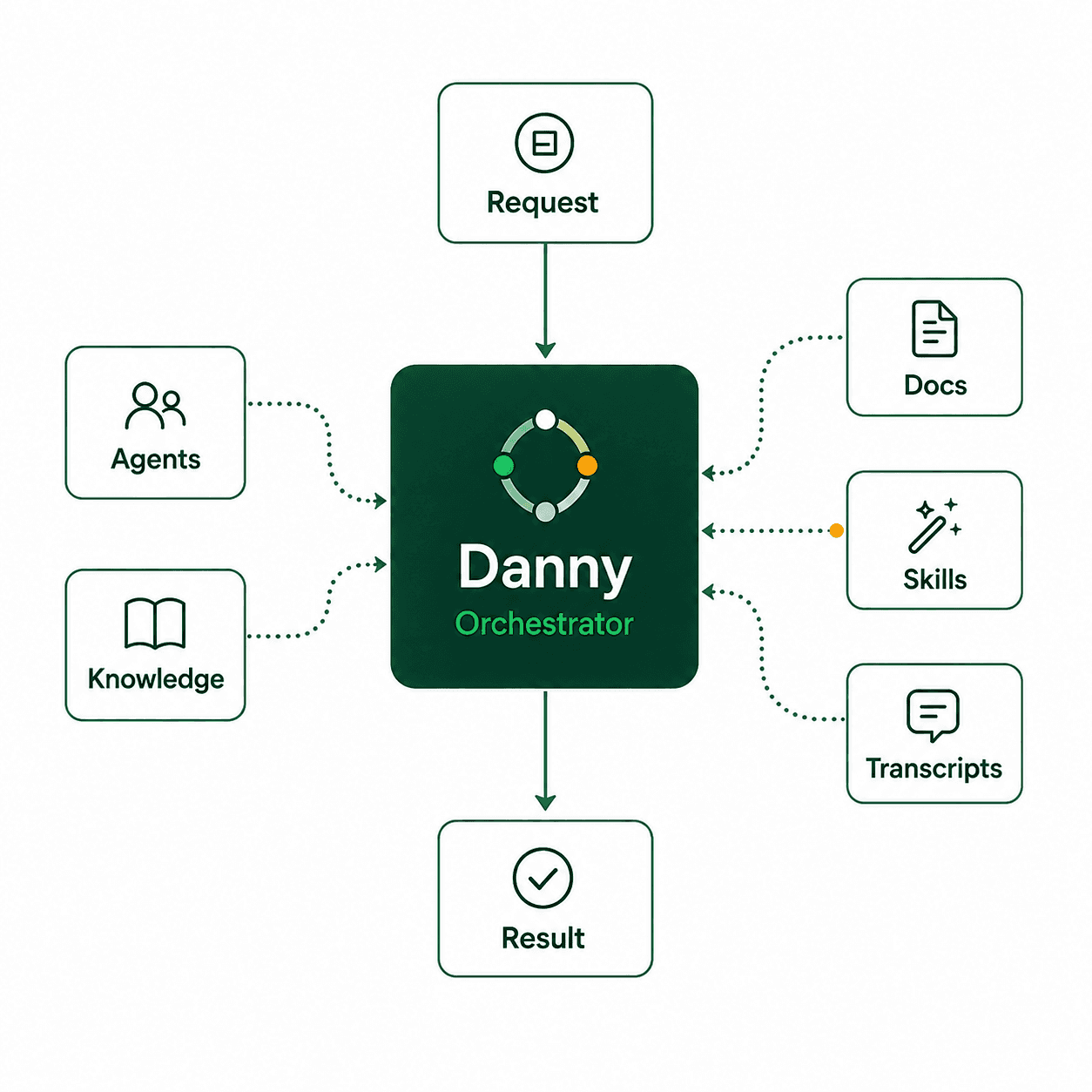
One request goes in and one finished result comes back — no prompts to write, no model to choose, no workflow to manage.

What happens in between

Danny reads your request in plain language, pulls the relevant knowledge, consults the right agents and tools, and validates the result before it reaches you.

A high-capability model handles understanding and planning; cheaper, specialised runs handle execution. Quality stays consistent and running costs stay predictable, even with heavy daily use.

Orchestration diagram carrying the full chain: Request → Danny → internal resources (agents, knowledge, transcripts, skills, tools) → Danny → Result. Danny stays the only point of contact on both ends. Add a smaller chat screenshot showing the visible agent call chain.
03The team

A virtual expert team with clearly defined roles.

Eight areas, each with one clear remit — and the whole team can be reshaped around your organisation.

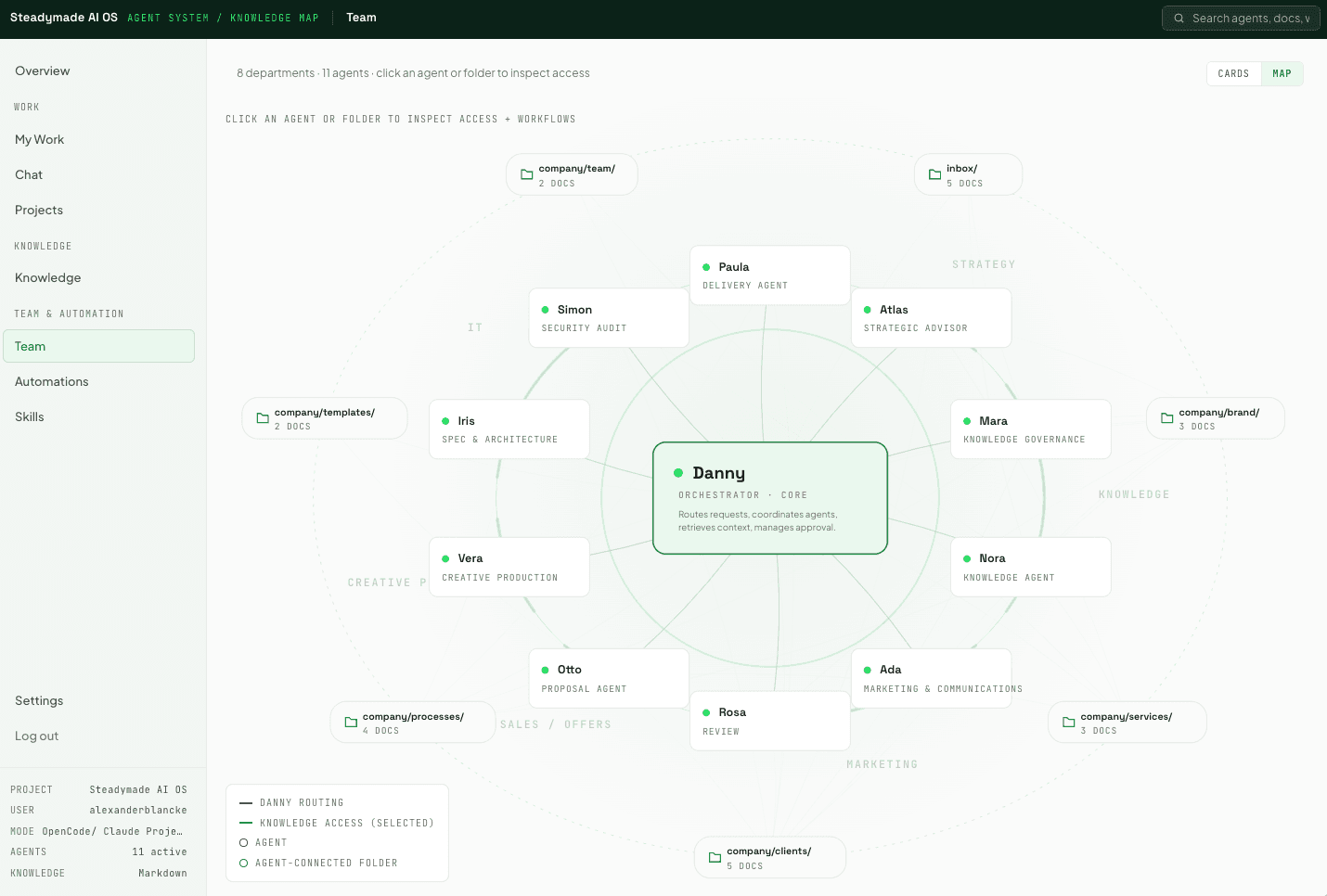
Agent Map including the routing-policy view, with specialists grouped by functional area
Orchestration

Routing, coordination and final synthesis.

Strategy

Positioning, proposal fit, review of critical decisions.

Knowledge

Retrieval of context and sources, capture of new knowledge.

Marketing

Campaigns, content and copy, independently reviewed.

Proposals

Proposals, scopes and pricing logic.

Delivery

Pilot plans, milestones, status reports and rollout.

Creative production

Visual concepts, prompts and final image generation.

IT and security

Architecture, specifications and independent security review.

How the team adapts to you

Each agent is a readable text file holding its role, rules and knowledge. Adapt roles, add agents or mirror your own org structure without touching application code — the team is shaped around your environment, not the other way round.

Folder and tool access is configured per agent through routing policies in the Agent Map.

04Knowledge

Your knowledge stays yours and gets more useful over time.

Everything lives as readable files on systems you control, and nothing crosses from private to shared without your approval.

What that means for your data

Each agent receives only the context its task requires. Private knowledge stays local and yours alone; team knowledge is shared with authorised users. A conversation becomes company knowledge only after you approve it.

Knowledge stays in open, readable files you can inspect, edit, export or move at any time — no proprietary format, no lock-in. The system also keeps a working memory of decisions and standards, so context does not need repeating.

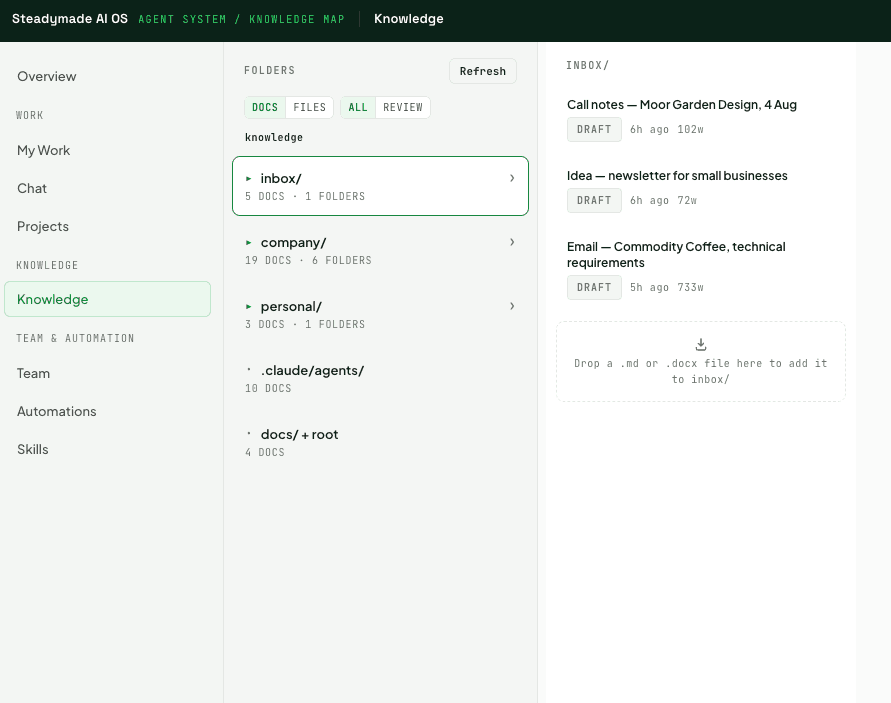
Knowledge Docs interface with drag-and-drop upload, beside a diagram carrying the flow: Private knowledge (locked) → your approval as a gate → shared Team knowledge. Nothing crosses the gate on its own.
05Use cases

From the first thought to a finished result.

Six kinds of work the system carries end to end, not just drafts it.

Use caseWhat comes back
ProposalsA brand-ready proposal from a first conversation, including scope and a strategic fit check.
Marketing and contentPosts, newsletters and campaigns, independently reviewed for clarity and brand voice.
DocumentsConcepts, letters, reports and one-pagers as polished, brand-ready PDFs.
Visual productionA finished campaign asset, from the first visual concept in one controlled workflow.
Planning and meetingsMeeting briefs, project updates and weekly plans, personal and team tasks in one place.
Security and governancePermissions, data flows and integrations reviewed by a dedicated security agent.
A practical example

“Reissue the invoice with the corrected company name.” The system finds the source file, corrects the name, regenerates the PDF and returns it for approval.

06Quality and control

You stay accountable. The system enforces the process.

Nothing meant for external use leaves without your approval, and no agent ever reviews its own work.

How the checks are separated

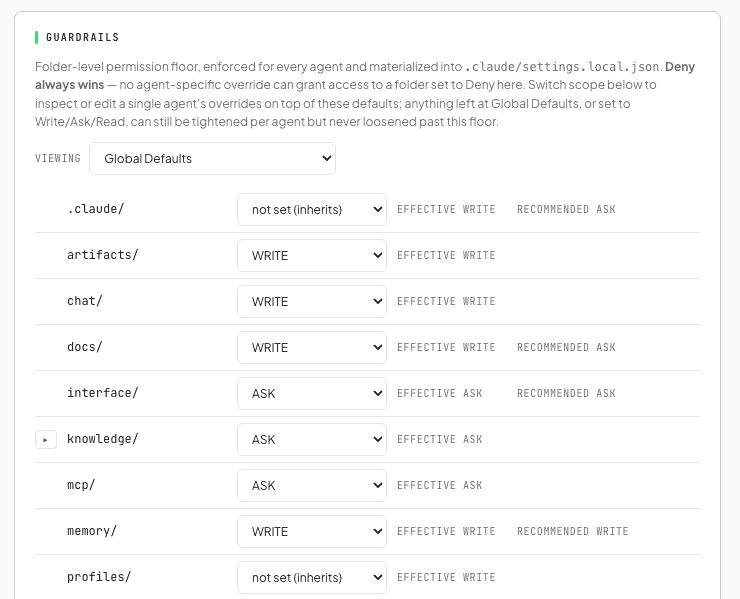
Strategy, language, security and release status are each checked by a different agent than the one that produced the work. Folder-level guardrails set where each agent may read, write or must ask first.

Agents work to defined formats for briefs and deliverables, which keeps results testable and repeatable. And the system reports nothing as done without confirming it actually ran.

Guardrails settings with folder-level permissions, beside the approval chain rendered as a diagram: Idea → Draft → Review → Approval → Final, with Final marked as the only gate that reaches the outside
07Automation

Recurring work runs automatically. Decisions stay with you.

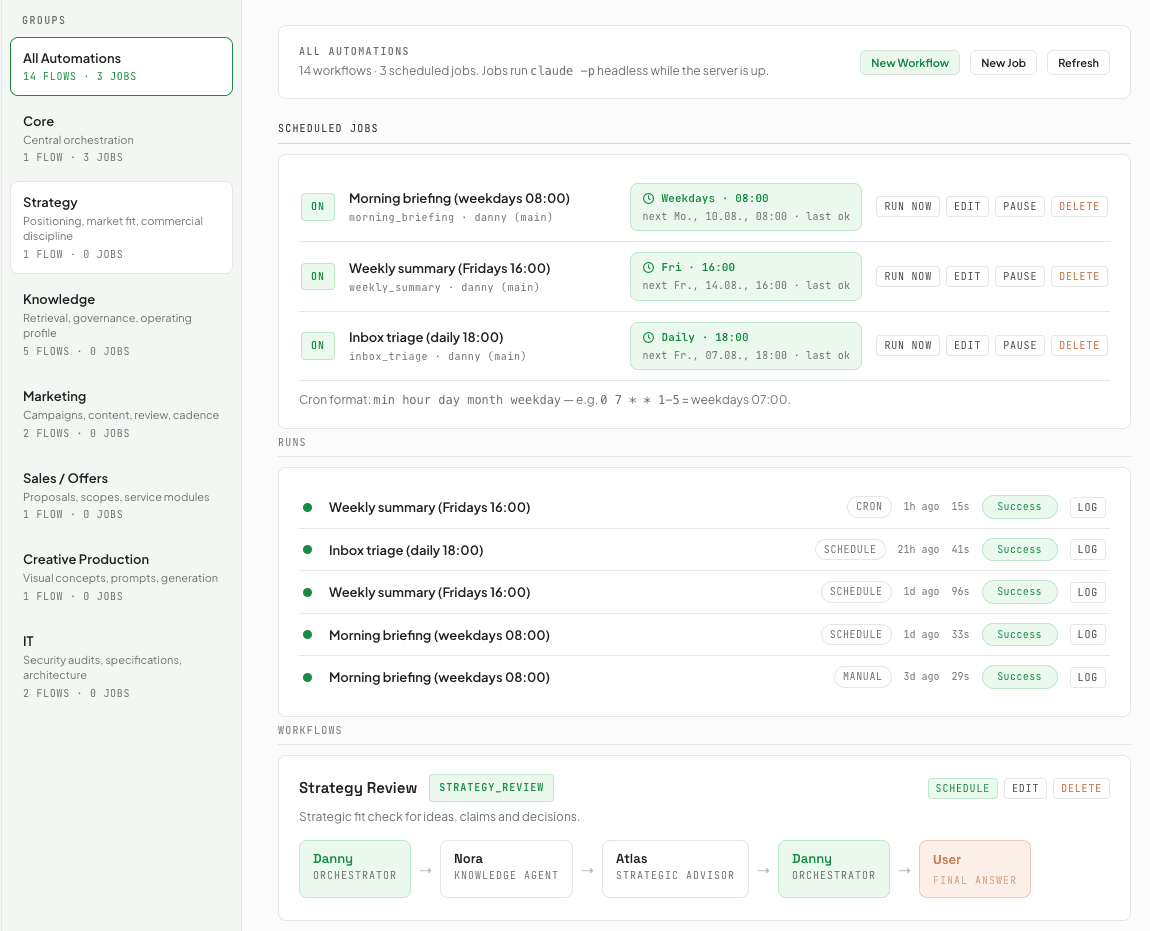
The scheduler produces drafts on its own — morning briefings, weekly summaries, knowledge consolidation — and stops there.

Skills and schedules

Skills are reusable workflows, such as a proposal in your brand layout or a LinkedIn carousel. Defined once, used across the team, consistent every time.

Every skill is a version-controlled text file you can share, adapt and improve — no app store, no proprietary platform. Schedules are written in plain language and created directly in Settings.

Automations or Scheduler interface as the main screenshot, with the Skill Hub as a smaller secondary image
08Editions

Three ways to work with the AI OS.

From a single laptop to a partner build, on one foundation you can grow into.

EditionWho it is forWhat you get
CommunityIndividuals, on their own machineThe full agent team, with knowledge and control kept local.
TeamOrganisations working togetherShared knowledge, user profiles, permissions and common skills. Server-side deployment is part of the planned architecture.
CollaboratorPartners extending the systemRepository access to contribute agents, skills and adapters, and to adapt the OS for your own clients.
09For developers

Open architecture. Deliberately simple operation.

Everything is a version-controlled file, and the model layer is a configuration decision rather than a rebuild.

LayerHow it works
Local runtimeA Node interface plus headless agent runs, on a local machine today. Server-side team deployment is planned.
One originInterface and chat share one address, with chat embedded at /chat. Simpler to operate and to secure.
Access protectionLogin protection, session-based authentication and CSRF protection.
Model layerAnthropic, OpenAI or open-source models through Azure Foundry. Switching is configuration, not a rebuild.
Agent permissionsRouting policies define the folders and tools each agent may reach, managed from the interface.
MCP connectorsGmail, Calendar, Drive, Notion, Adobe and internal systems through an open standard.
AdaptersStart on a CSV-based CRM and grow into Salesforce, Microsoft 365 or other enterprise systems.
Everything is a fileAgents, skills, knowledge and configuration as version-controlled text. Distribution runs through Git.
Layered architecture diagram — interface and chat on one shared origin, embedded /chat route, scheduler, agent and routing-policy layer, interchangeable model layer, MCP connectors and adapters
10Operating model

The operating model behind reliable AI work.

Five things that still hold once the novelty wears off.

One access point

A single place to start and coordinate AI work.

Knowledge you control

Open files, local ownership, portable data.

Quality by design

Reviews, approvals and guardrails inside the workflow.

Free model choice

Models and providers stay replaceable.

A foundation that scales

Individual use to team workflows, same system.

Steadymade supports the introduction as an implementation and transformation partner. The OS provides the structure. Our team helps embed it into roles, processes and everyday work.

See how the system fits your work.

Start with a conversation about your real use cases. We show the system live and work out together whether it fits your workflows and requirements.

  1. 01
    Conversation

    30 minutes on your use cases, workflows and requirements.

  2. 02
    Live demonstration

    The AI OS in action, on examples from your context.

  3. 03
    Pilot

    A scoped, measurable start inside day-to-day operations.

steadymade.ai Contacts for DACH and Australia

Get in touch